
Warehouse WiFi Upgrade for Camera Installation
A camera installation is often the moment a furniture warehouse discovers that its existing WiFi network was never designed for daily operational use.
In a 10,000–15,000 square foot furniture warehouse, the network may appear simple at first. But once cameras, scanners, tablets, office users, guest access, forklifts, dock areas, staging lanes, and large inventory are all considered together, the project becomes more than “adding a few access points.”
Furniture operations create unique wireless challenges. Boxed sofas, sectionals, mattresses, dining tables, bed frames, metal shelving, dock doors, moving equipment, and high or uneven ceilings can all affect wireless performance. That is why a camera rollout is a good time to review the entire warehouse network: WiFi, switching, cabling, PoE, segmentation, monitoring, and future growth.
For businesses planning a warehouse network refresh, Slice WiFi provides warehouse WiFi solutions designed for demanding environments, including warehouses where handheld systems, moving equipment, metal structures, RF interference, and limited Ethernet access can make connectivity difficult.
Why camera projects should include a warehouse WiFi review
Security cameras are usually wired with PoE, but the camera project often exposes wider network issues.
A furniture warehouse may already rely on WiFi for:
Barcode scanners
Forklift mounted tablets
Inventory systems
Laptops and mobile devices
Shipping and receiving workstations
Customer pickup or showroom areas
Guest access
IoT or building systems
Office users
Vendor or contractor access
If the existing network was built only for basic internet access, it may not support operational traffic reliably. A better approach is to design the camera system and wireless network together, so the warehouse has the right cabling, switching, PoE budget, VLANs, firewall rules, and RF coverage before installation begins.
Slice’s How We Do Wireless process is especially relevant for this type of project because it includes site survey, design planning, installation or upgrade work, testing, and ongoing management options.
Why square footage is not enough for furniture warehouse WiFi design
A 10,000–15,000 sq. ft. warehouse may sound small enough to cover with a few access points, but square footage alone does not determine WiFi performance.
A furniture warehouse must account for:
High or uneven ceilings
Metal pallet racking
Long furniture aisles
Large boxed inventory
Upholstered furniture and mattresses that can absorb signal
Tables, bed frames, and other products with metal components
Dock doors and receiving areas
Packing, staging, and return inspection zones
Forklift paths
Office, showroom, or customer pickup areas
Mezzanines or enclosed rooms
Exterior loading or pickup areas
Client device quality, especially scanners and tablets
The warehouse may test well when lightly stocked but perform differently when full of boxed sofas, sectionals, beds, tables, and other dense inventory. That is why a wireless site survey or RF validation should still be part of the project, even in a mid-sized warehouse.
Slice’s warehouse WiFi services are designed around these kinds of conditions, where metal structures, interference, handheld devices, and changing layouts can make standard WiFi planning unreliable.
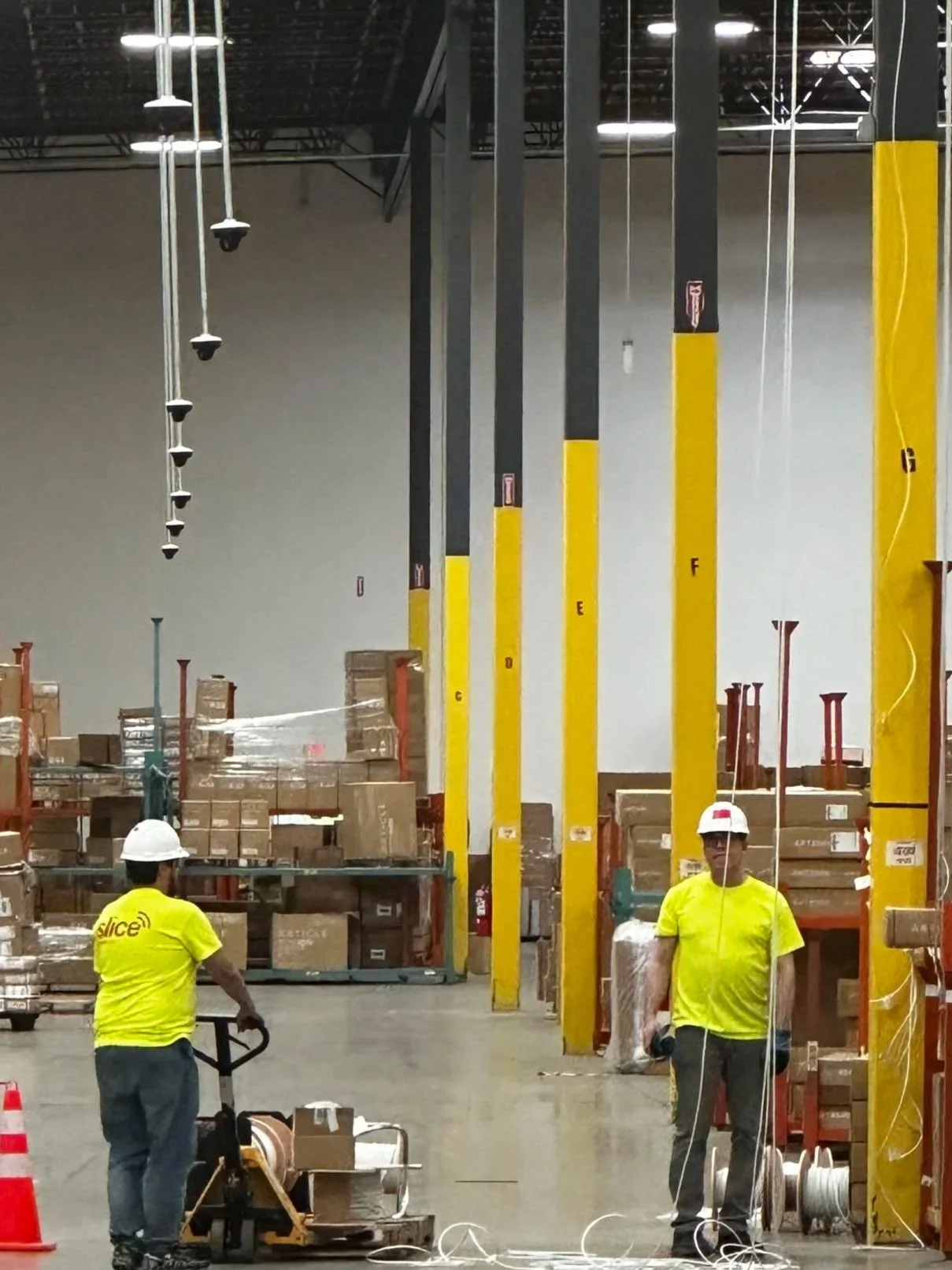
What should the wireless site survey include?
For a furniture warehouse of this size, the survey does not need to be overcomplicated, but it should be structured.
A practical warehouse WiFi survey should include:
Review of the scaled floor plan
Rack and aisle layout
Ceiling height and mounting options
Dock door and staging area review
Office and customer-facing area review
Existing AP locations and WiFi complaints
Scanner, tablet, laptop, and phone requirements
Current switch and cabling conditions
Interference sources
AP-on-a-stick testing in critical areas
Final validation after installation
Typical WiFi targets may include:
-65 dBm for primary warehouse data coverage
-72 dBm for secondary or backup coverage
-60 dBm or stronger for voice, real-time applications, or latency-sensitive devices
These targets should be adjusted based on the actual devices used in the warehouse. A rugged barcode scanner, forklift tablet, laptop, and phone may all behave differently on the same WiFi network.
Slice’s site survey and wireless design process helps identify signal challenges, map power locations, review existing WiFi, and document layout, wiring, cabling, and key infrastructure details before equipment is installed.
Cabling and PoE details that prevent future problems
For new AP drops, Cat6A is strongly preferred. Modern and future access points may require multi-gigabit Ethernet and higher PoE levels. Installing better cable during the initial project is usually less expensive than returning later with lifts and after-hours labor.
For cameras, Cat6 may support many standard 1 GbE PoE cameras, but Cat6A is often preferred for consistency, PoE performance, and long-term flexibility.
Important cabling rules include:
Keep copper Ethernet channels within the 100-meter / 328-foot limit.
Use a local IDF or zone switch if cable paths are too long.
Use fiber uplinks where distance or bandwidth requires it.
Label all cables clearly.
Certify cable runs after installation.
Use proper supports and service loops.
Protect cables from forklift paths, rack movement, fan vibration, and dock activity.
Consider MPTL termination for high-mounted APs or cameras where a jack and patch cord are impractical.
PoE must also be calculated carefully.
For example:
6 APs at 25 watts each = 150 watts
16 cameras at 12 watts each = 192 watts
Estimated PoE load = 342 watts
With 30% reserve = about 445 watts needed
That means the switch should not be selected only by port count. It must also have enough PoE budget, uplink capacity, and future expansion room.
For businesses that need help turning survey findings into a practical deployment plan, Slice offers design planning, installation, upgrades, and network operations services.
How warehouse operations affect installation
A 10,000–15,000 sq. ft. warehouse may be smaller than a major distribution center, but installation still affects daily operations.
Before work begins, the installer should walk the site with IT, facilities, safety, and warehouse management.
The plan should confirm:
Lift access
Work windows
Dock activity
Forklift routes
Rack clearance
Ceiling height
Fan locations
Sprinkler and pipe clearance
Electrical hazards
Product protection requirements
Areas where furniture cannot be moved or blocked
After hours or low traffic installation periods
If the warehouse has large industrial fans, each fan should be reviewed before cable or AP installation. Cable should not be routed through blade sweep areas, vibration zones, or motor service areas.
Slice notes that installation and upgrade work can be scheduled during off-hours, including overnight, to reduce disruption during busy periods. That can be important for furniture warehouses where receiving, staging, customer pickup, and delivery schedules cannot be interrupted.
Secure segmentation for cameras, scanners, guests, and IoT
Cameras, APs, switches, scanners, and IoT devices should not sit on a flat business LAN.
Recommended VLANs may include:
Camera endpoints
VMS/NVR servers
Corporate WiFi clients
Scanner and handheld WiFi clients
Guest or visitor WiFi
Network management
Building systems and IoT
Temporary event WiFi, if needed
Security controls should include:
No default passwords
Unique device credentials
Restricted camera internet access
Firewall ACLs between VLANs
MFA for cloud or VMS administration
Firmware management
Secure management protocols
Logging and time synchronization
Role based access to video
Guest isolation from warehouse systems
Guest WiFi should never share the same access as cameras, scanners, inventory systems, or business operations.
Slice’s network security features and WiSNET wireless platform are relevant where a business needs policy enforcement, traffic control, monitoring, reporting, and better visibility across users, devices, and networks.
Why monitoring matters after installation
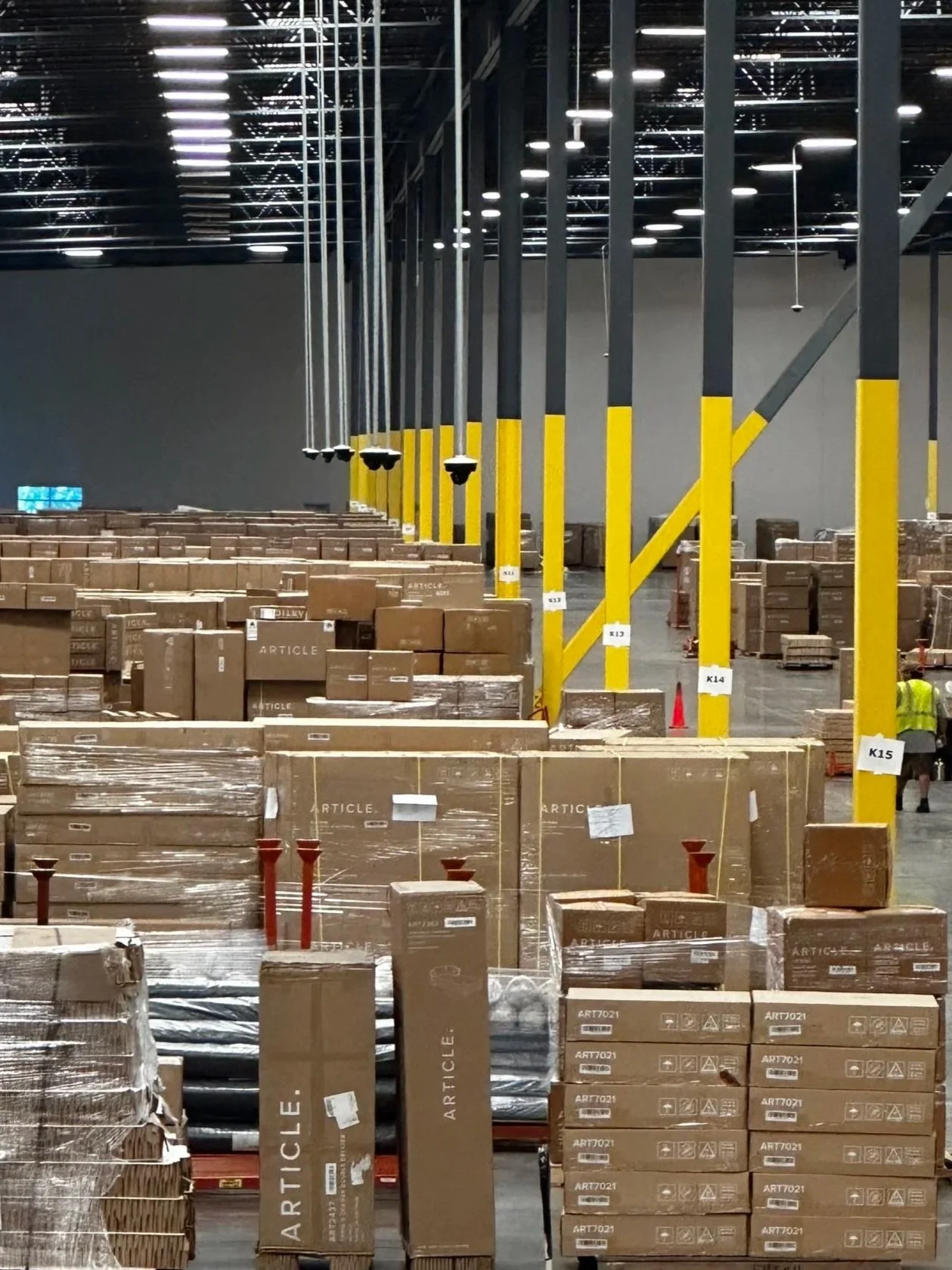
A warehouse network is not finished the day access points and cameras are mounted.
Inventory changes. Furniture moves. Seasonal volume increases. Dock areas change. New scanners, tablets, cameras, and IoT devices may be added over time. A network that performs well on day one should still be reviewed and monitored after the installation.
Post-install testing should confirm:
AP coverage in warehouse aisles
Scanner performance in picking and staging zones
Tablet roaming along forklift paths
Camera connectivity and PoE stability
Switch utilization
Uplink capacity
Guest WiFi isolation
VLAN and firewall rules
NVR/VMS access control
Network management access
With WiSNET and Slice’s managed WiFi services, businesses can plan beyond basic installation and consider ongoing monitoring, reporting, and centralized management.
Final takeaway
For a 10,000–15,000 sq. ft. furniture warehouse, the best WiFi and camera upgrade is not necessarily oversized, but it should be engineered.
Cameras should usually be wired with PoE. WiFi should be designed around scanners, tablets, forklifts, docks, staging areas, customer pickup zones, and office users. Cabling should be future ready. PoE should be calculated. VLANs and firewall rules should be planned before installation. Final AP and camera placement should be validated with an RF site survey and post-install testing.
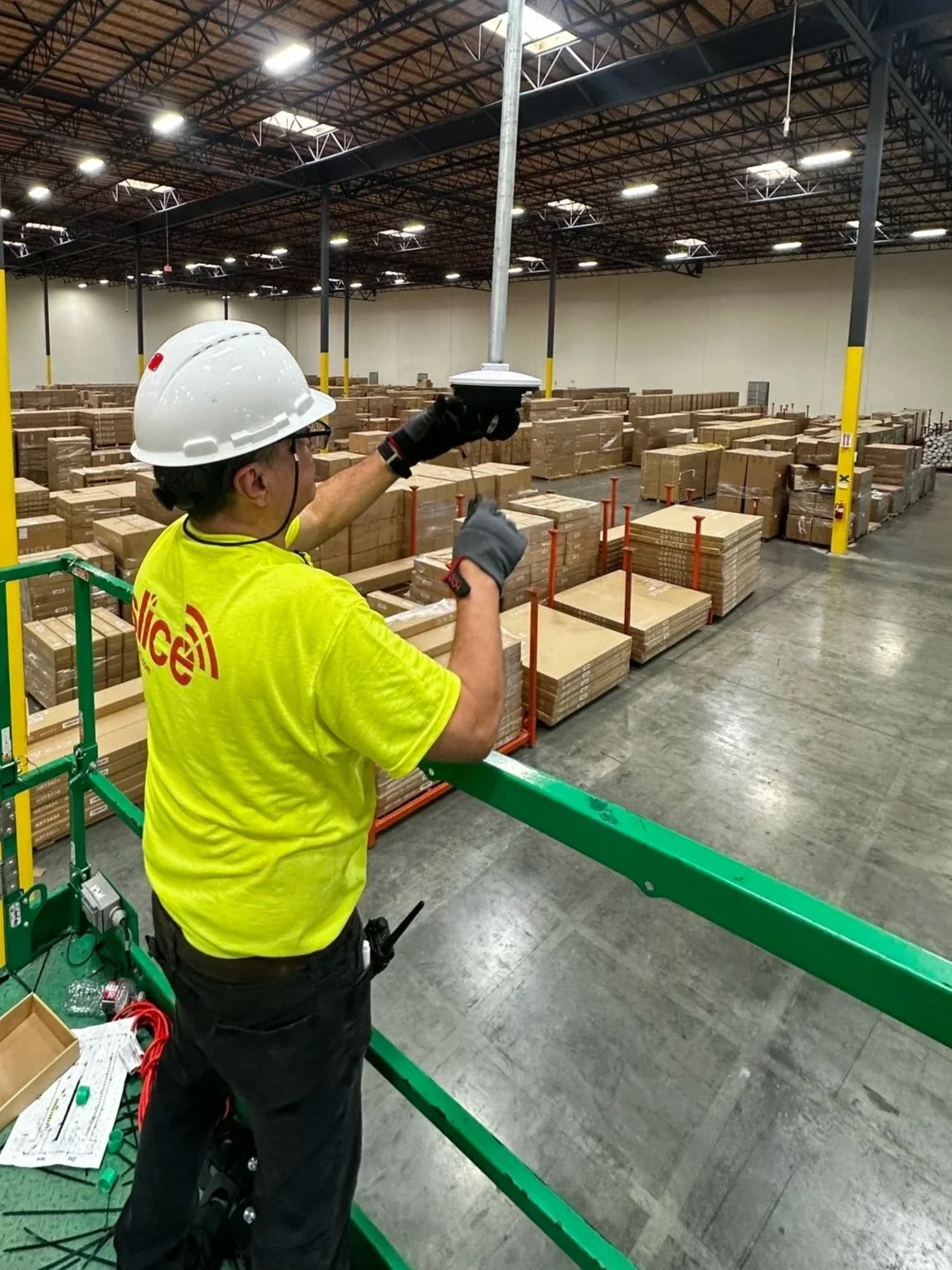
The result is a warehouse network that supports daily operations, protects inventory, improves camera reliability, and avoids the common mistake of using general WiFi for workloads that should be wired, segmented, and monitored.
Planning a warehouse WiFi upgrade or camera-related network refresh? Contact Slice WiFi to schedule a site review and discuss the right network design for your warehouse.